Download and install the Bring Leads browser extension to generate APIs fast.
Download Bring Leads ExtensionVersion: Loading... | Size: Loading... | Format: ZIP
Installation Guide
- Download the extension: Click the button above to download the .zip file.
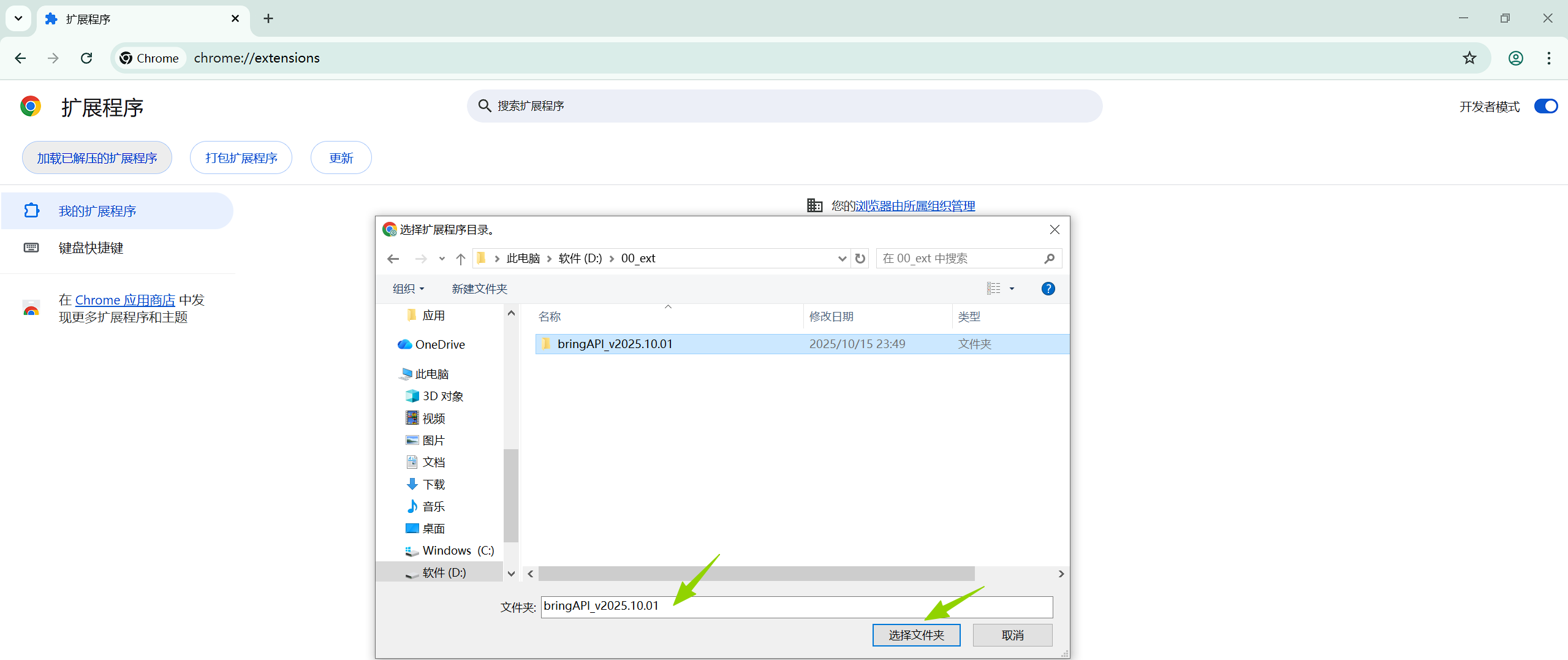
- Unzip the file: Extract the .zip to any folder (remember the path). Keep the folder structure and do not delete it after installation.
- Open Extensions page:
- Chrome: Enter
chrome://extensions/ - Edge: Enter
edge://extensions/ - Other Chromium browsers: Find the "Extensions" or "Add-ons" settings
- Chrome: Enter
- Enable Developer mode: Turn on "Developer mode" at the top right of the Extensions page.
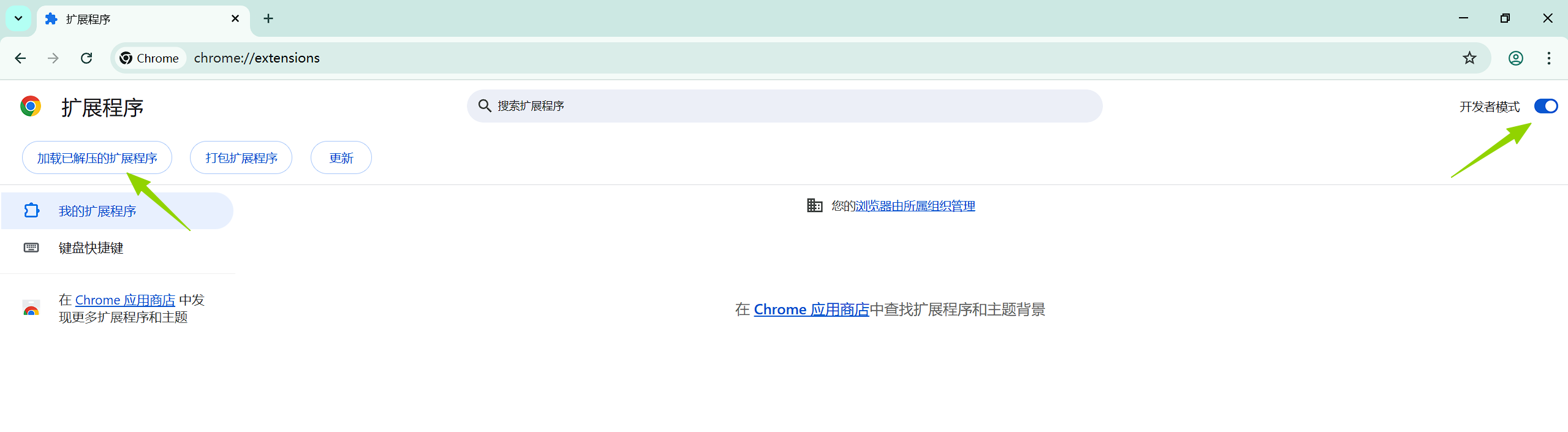
- Load unpacked: Click "Load unpacked" and select the unzipped folder.
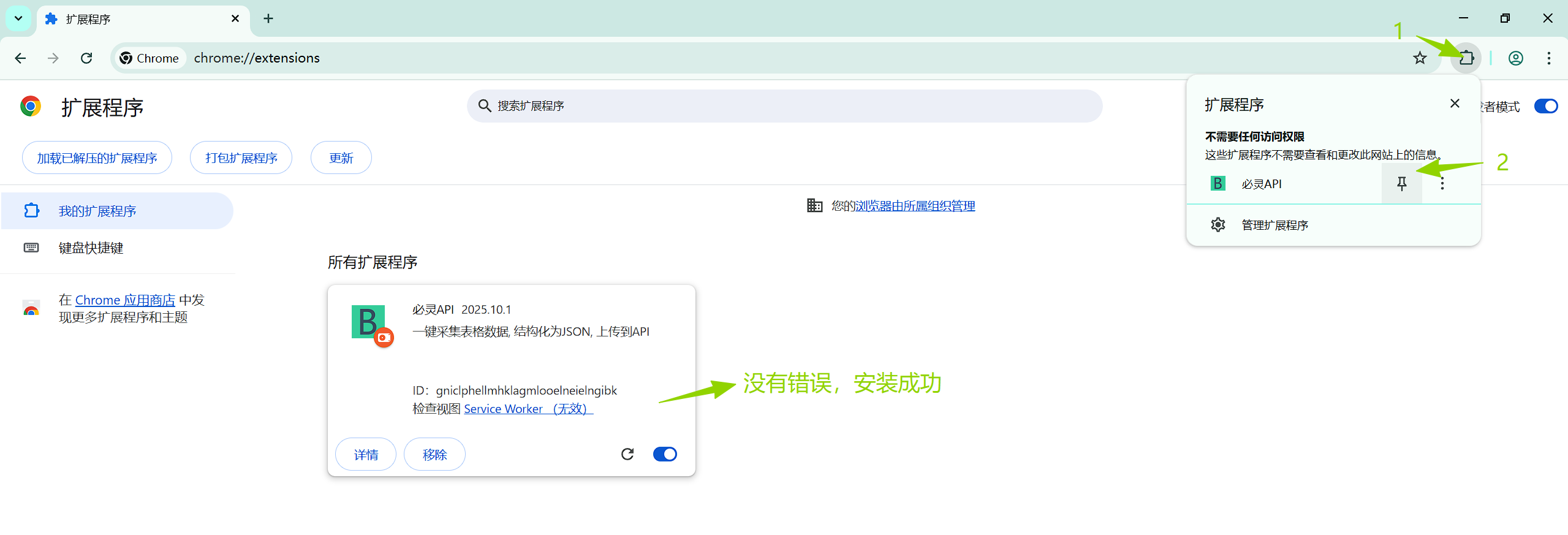
- Pin the extension: After installation, pin the icon to the toolbar if not visible.
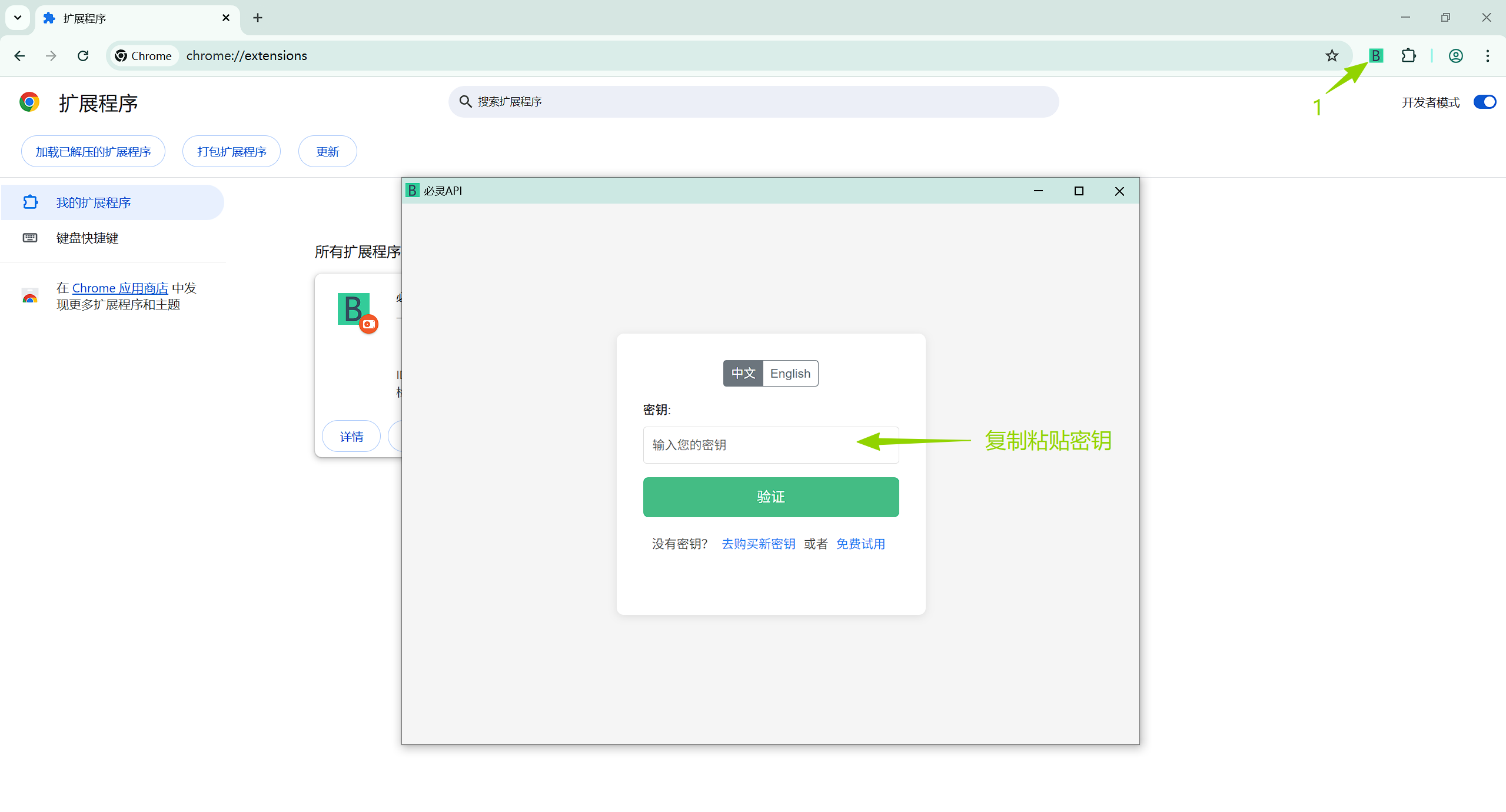
- Start using: Click the icon and enter your key to activate.
Tips
- Chromium-based browsers only
- Developer mode is required
- Download is a ZIP; unzip first
- Refresh related pages after install
- Check your browser version if issues occur
- Do not delete the unzipped folder after loading
Supported Browsers
Recommended
- Google Chrome
- Microsoft Edge
Others
- Other Chromium-based browsers